

Your photos, searchable
on your own NAS.
SuperGallery is a free, open-source photo gallery and file manager that runs in Docker on your NAS. Search by meaning, group faces and clear out duplicates — with AI that runs on your own hardware.
- Docker
- x86-64 & arm64
- No cloud account
- Installable PWA
Search by meaning,
not by filename.
A local CLIP model understands what is in your photos. Type what you remember, or narrow it down with filters.
- sunset at the beach
- type:video larger:100mb
- people cycling
- person:"Alex" after:2024-01-01
- type:pdf invoice
- dog in the snow
- in:Trips type:video
- receipt before:2025-01-01
Video scenes
Finds the moment inside a video and opens it at that timestamp.
Text in images and docs
On-device OCR for receipts and screenshots, plus text from PDFs and office documents.
People
Faces grouped on your hardware. Name someone once, then filter by person.
Smart albums
Save a search as an album that keeps itself up to date.
Press Ctrl K for the command palette. Filters:type:person:in:after:before:larger:smaller:
Take the tour.
Real screens from a generated demo library — no personal media.
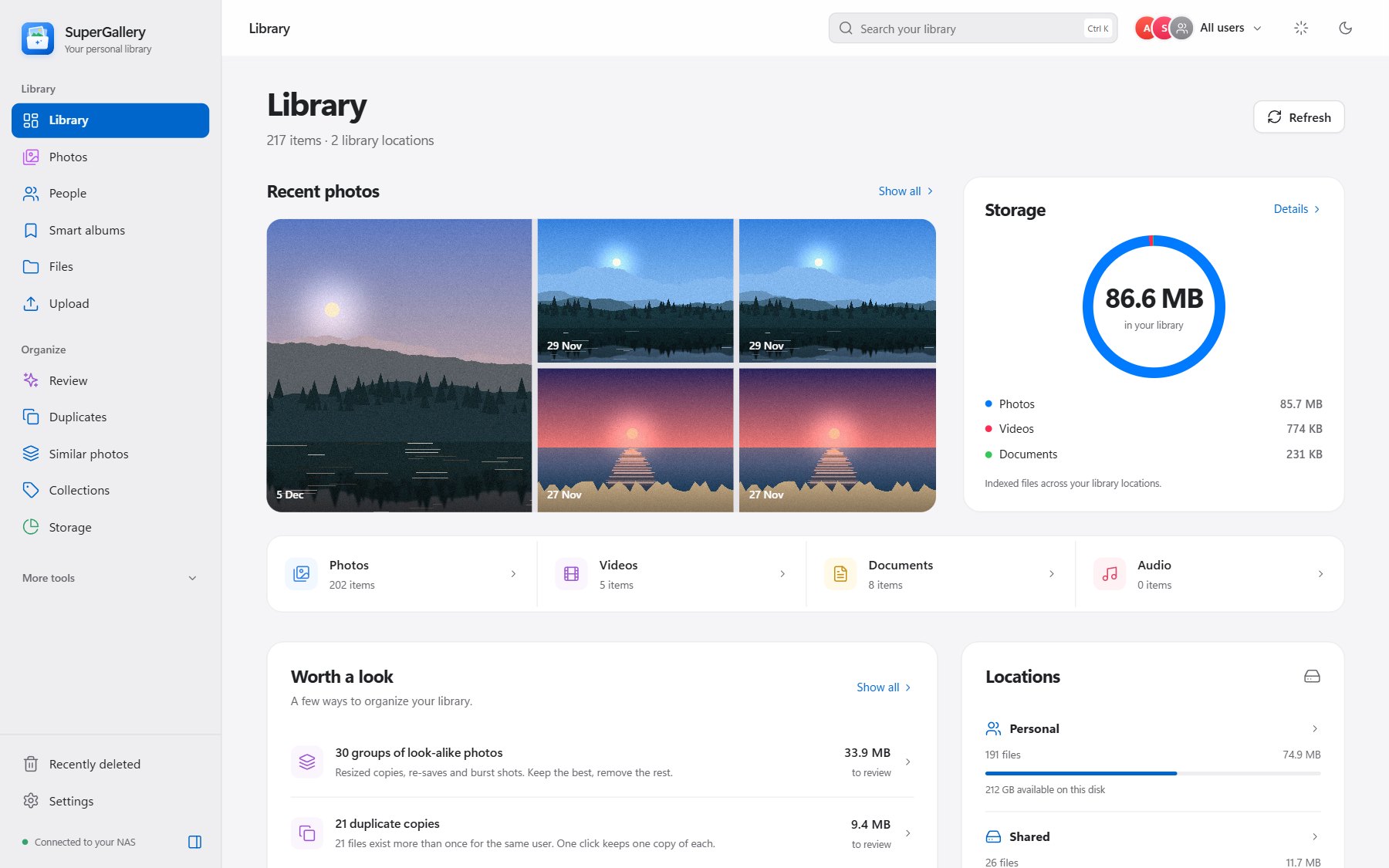
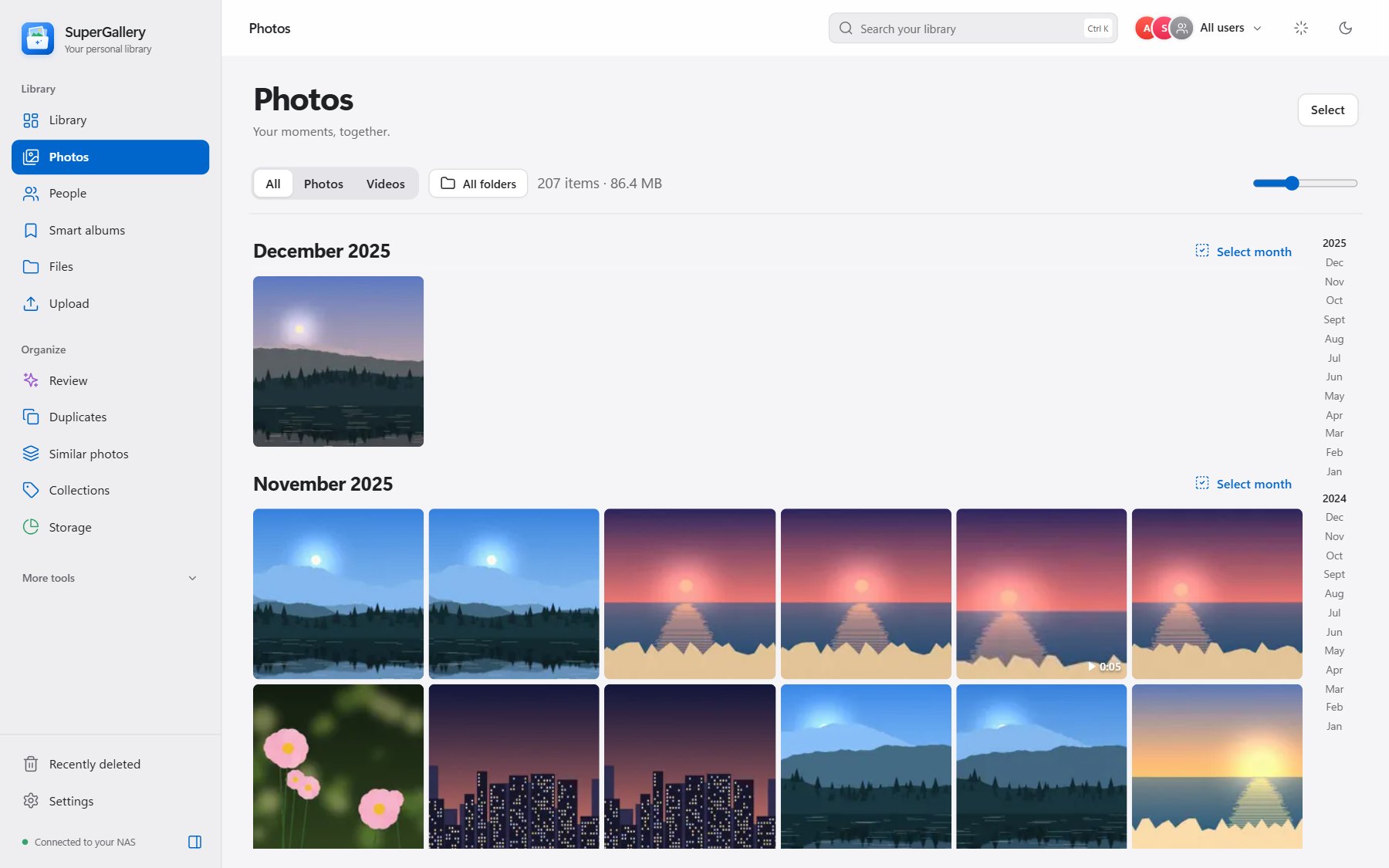
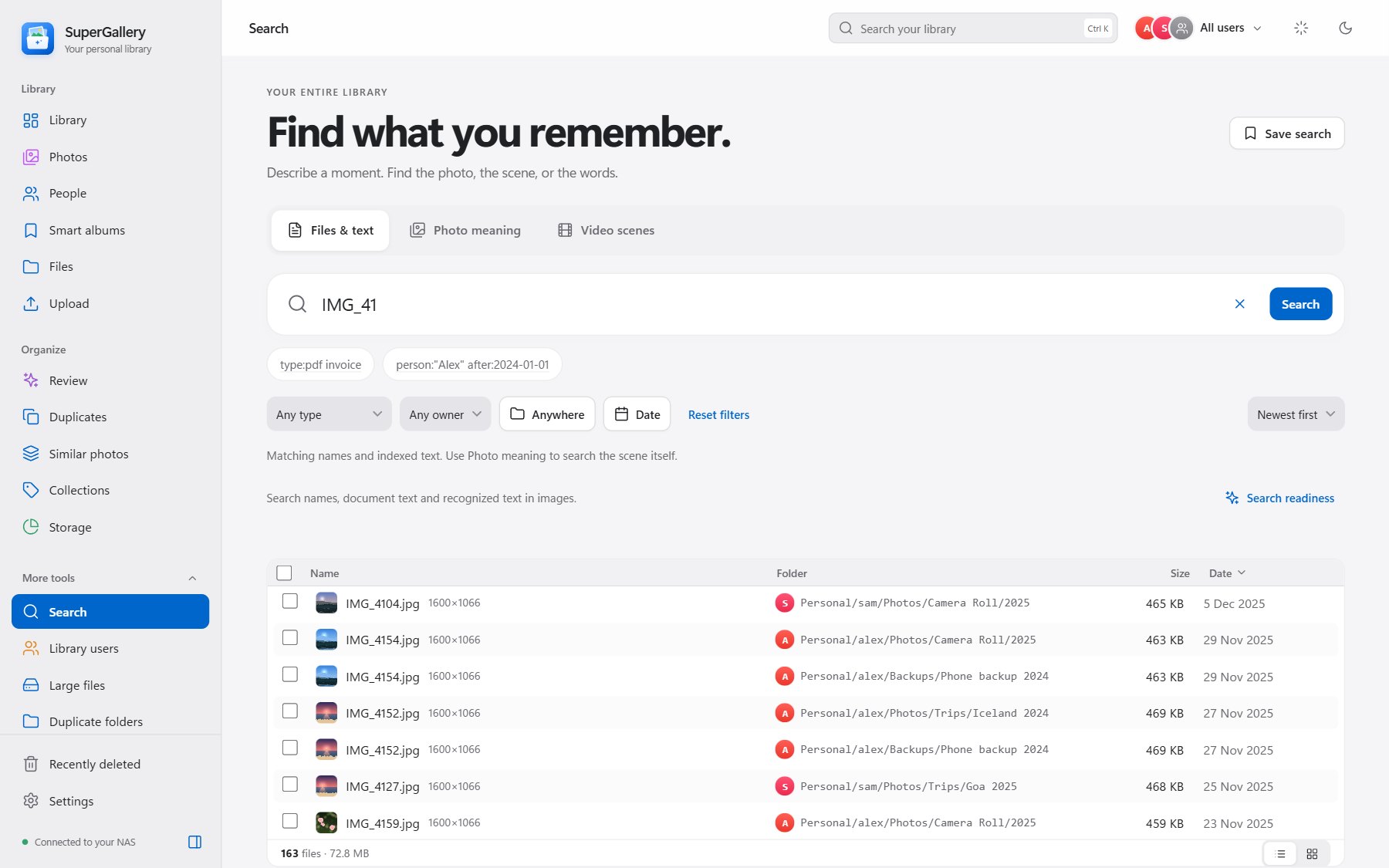
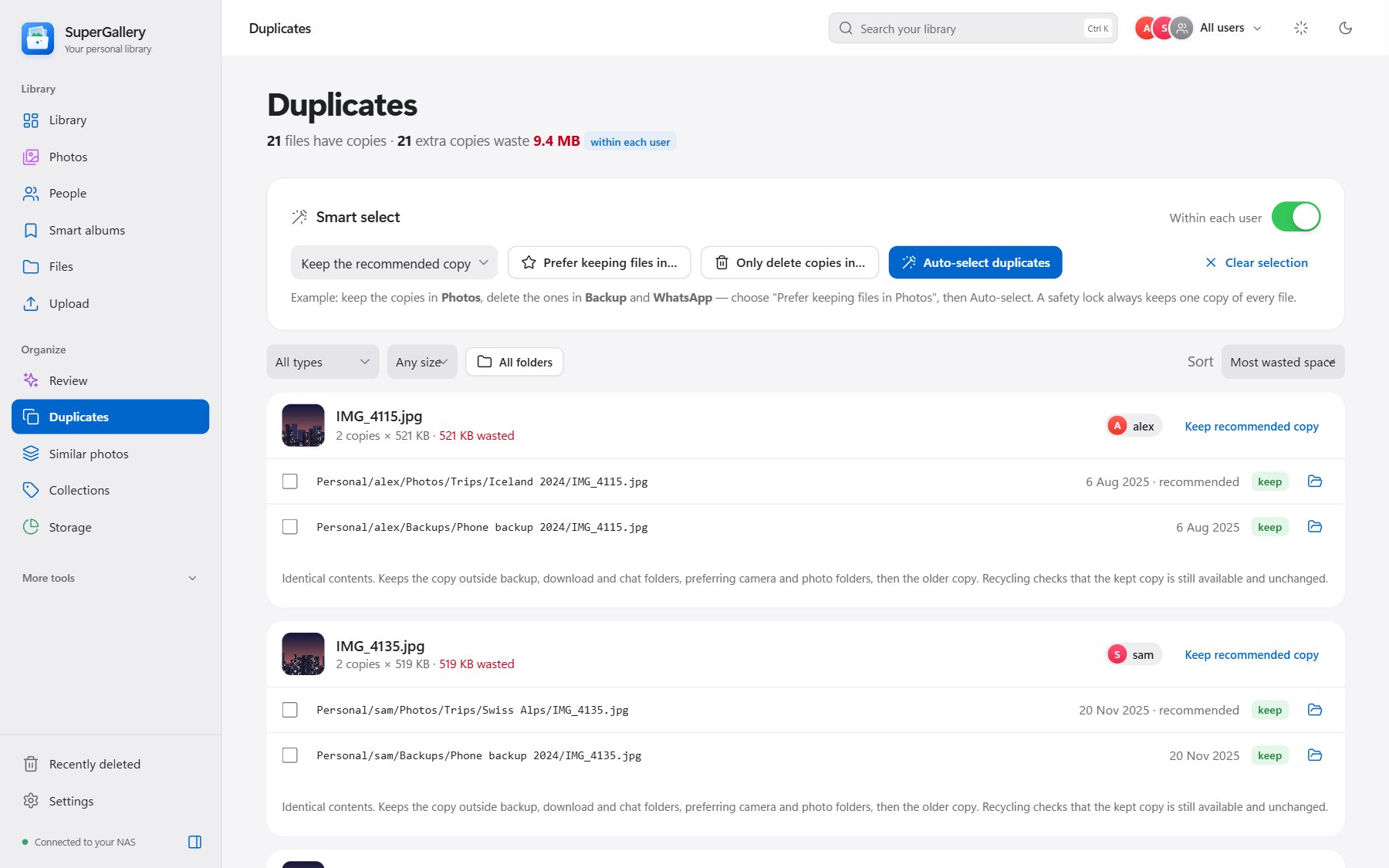
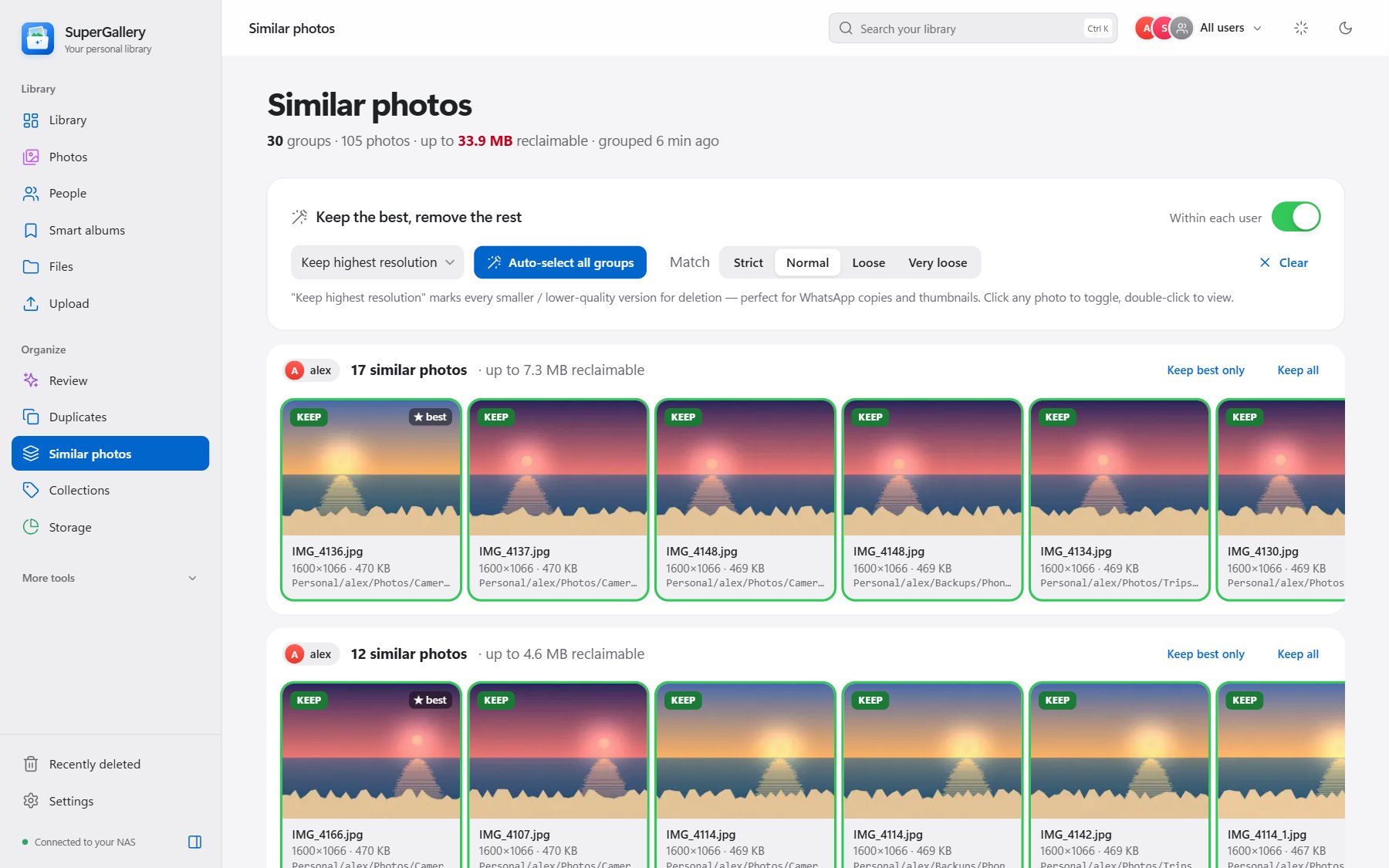
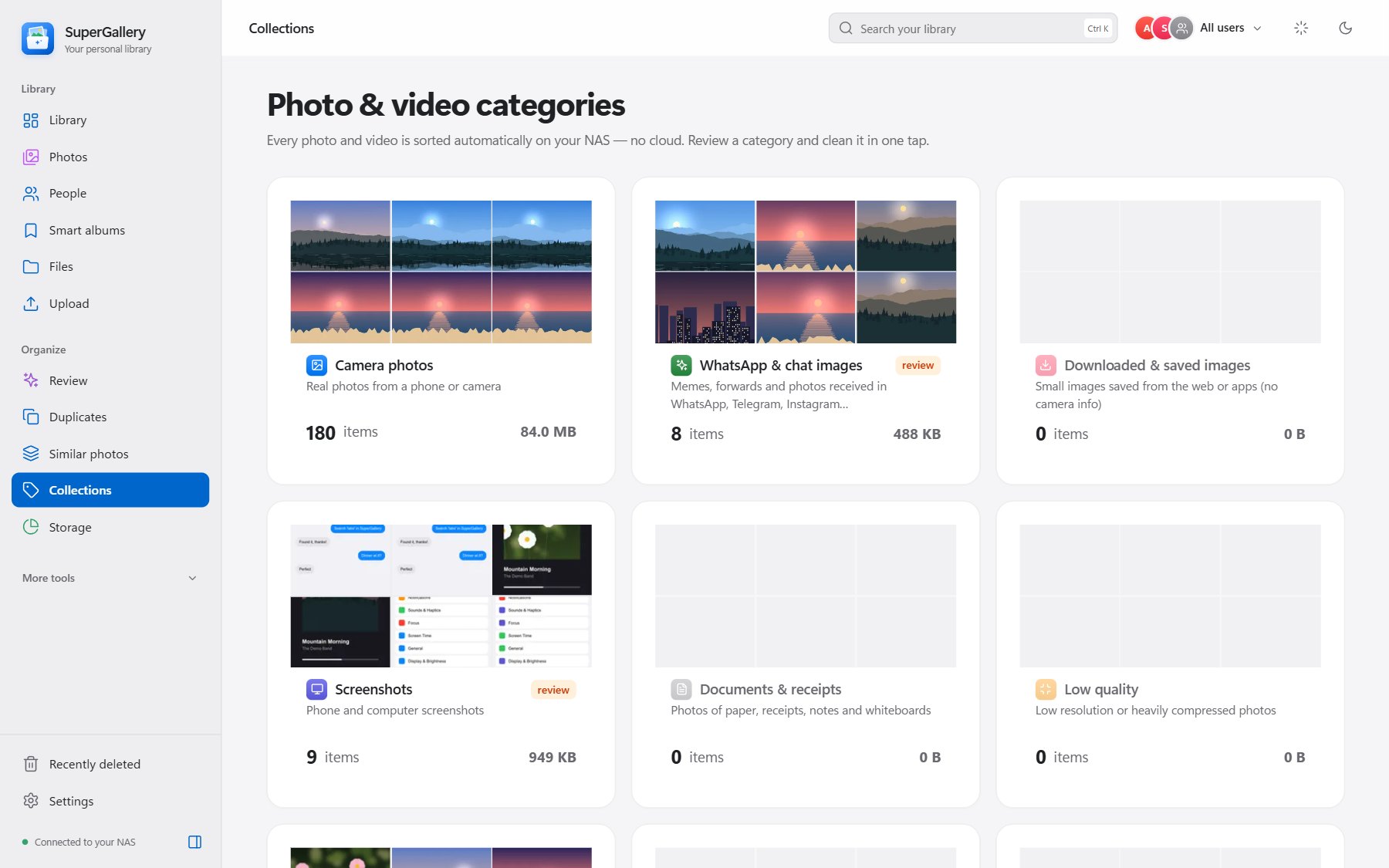
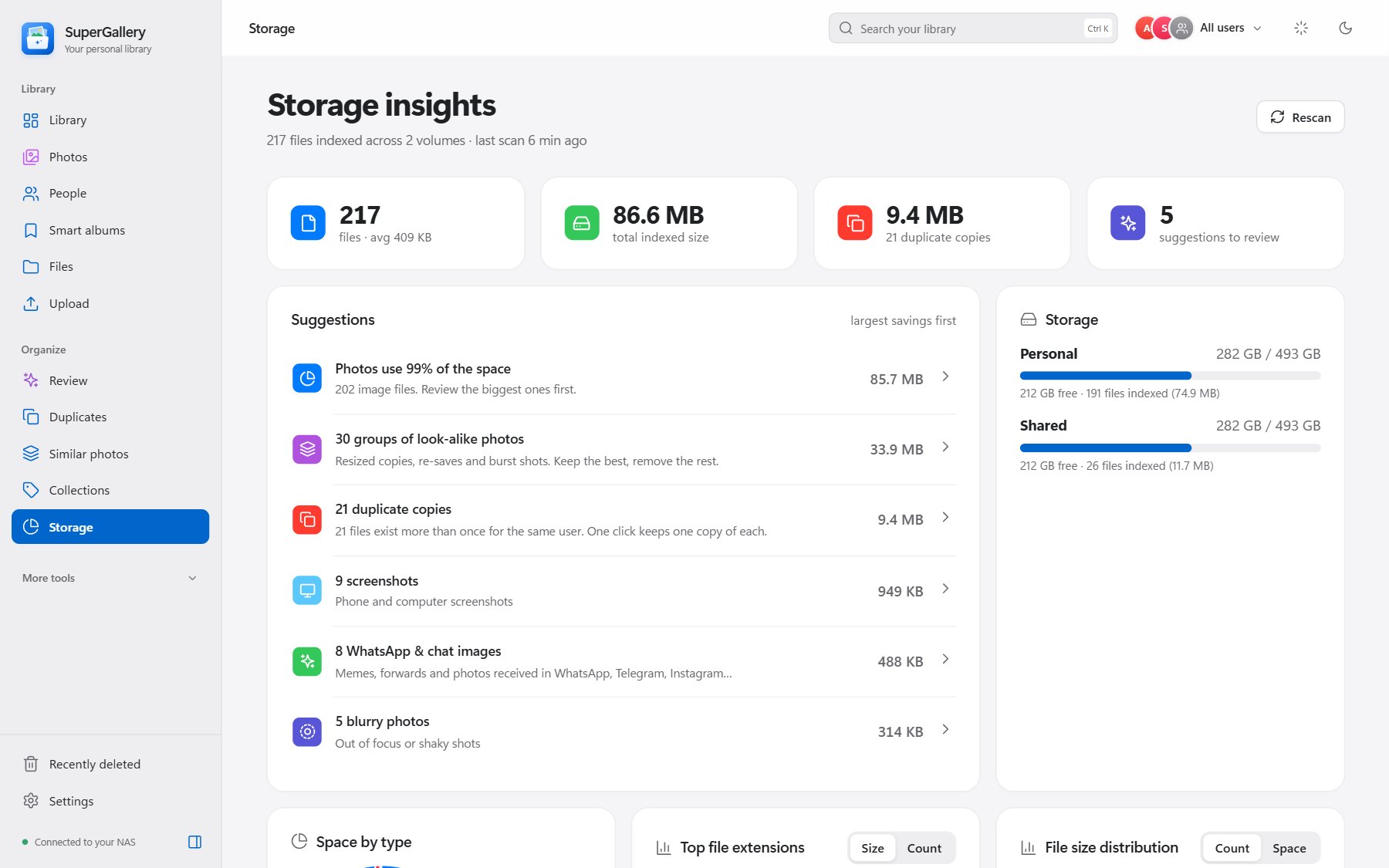
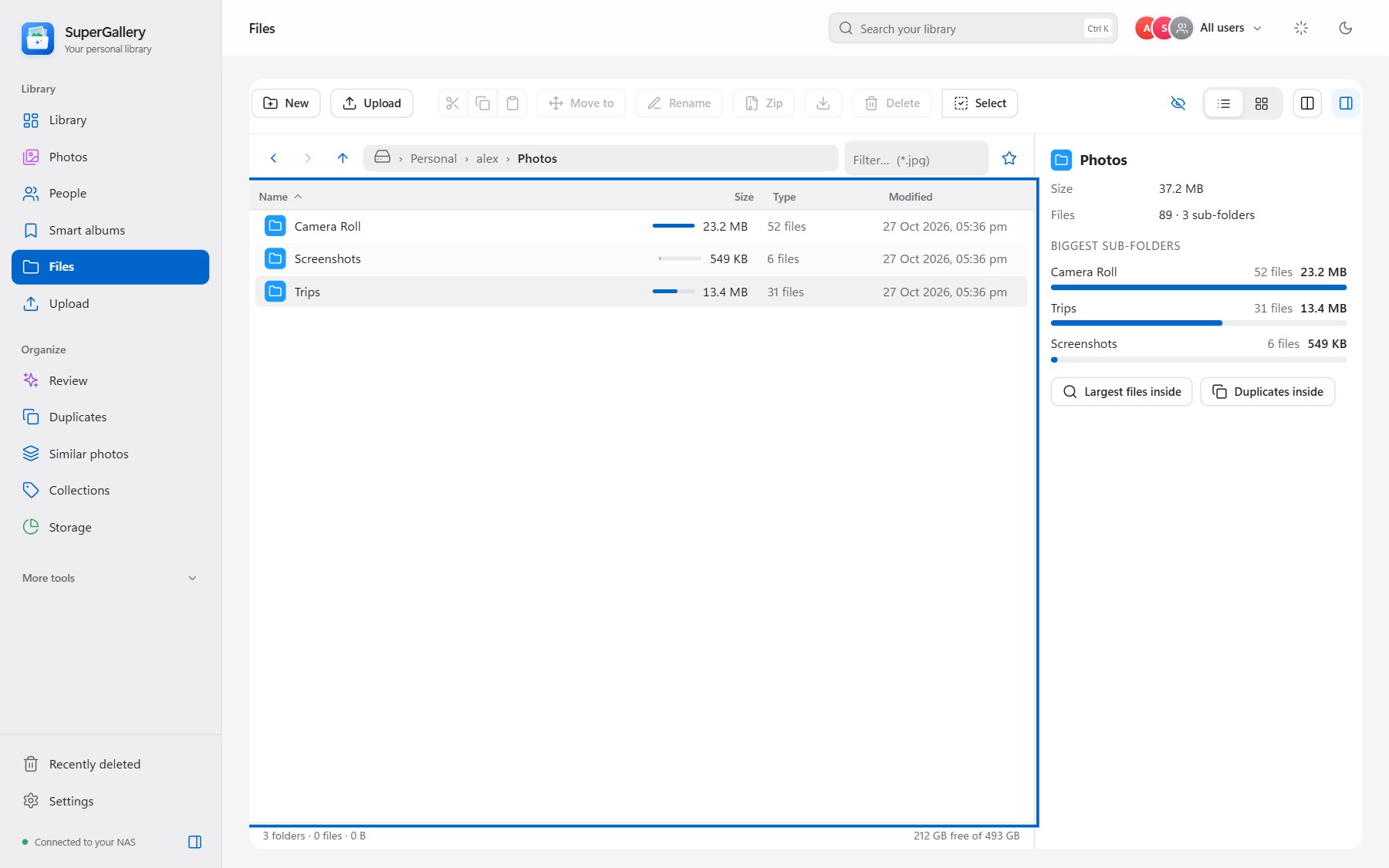
Library overview with recent photos, storage by type and clean-up suggestions.
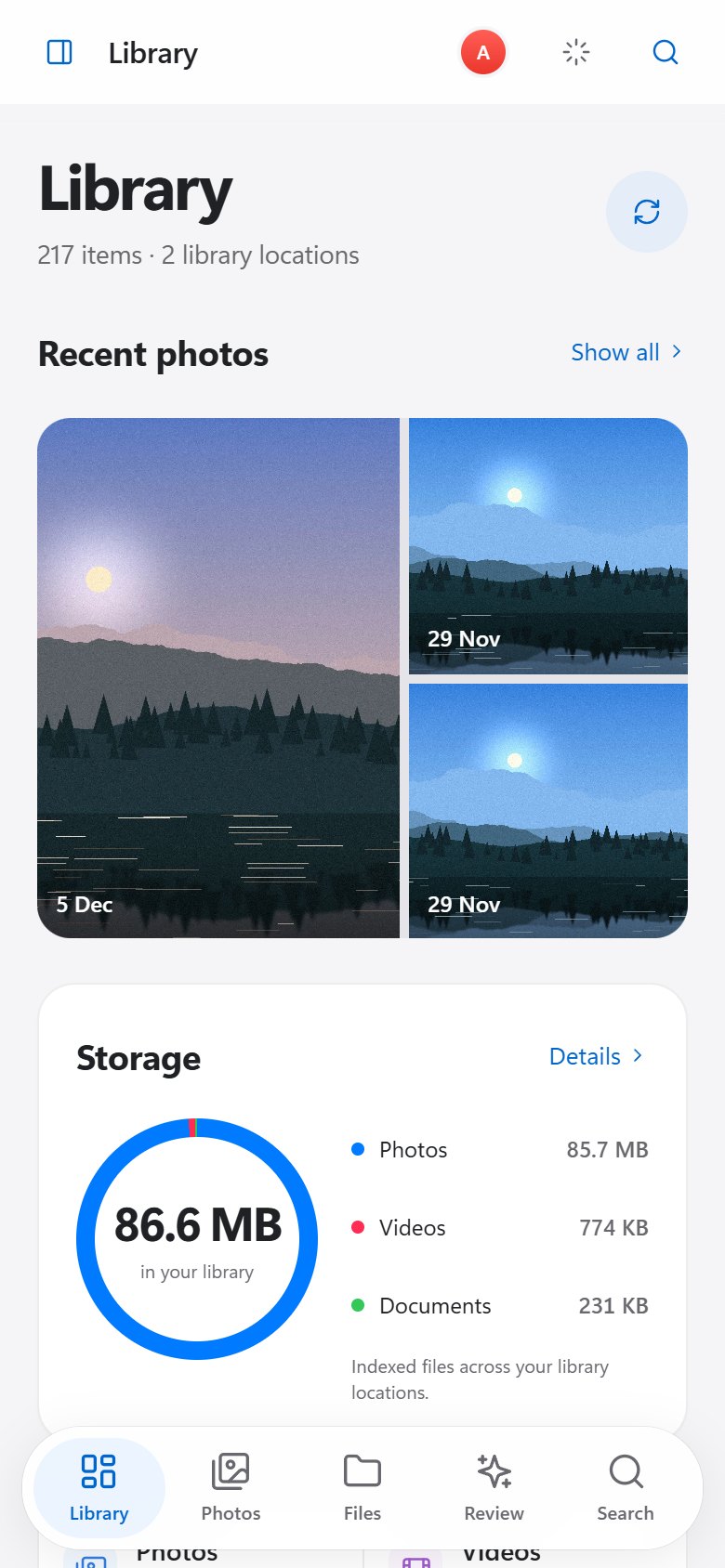
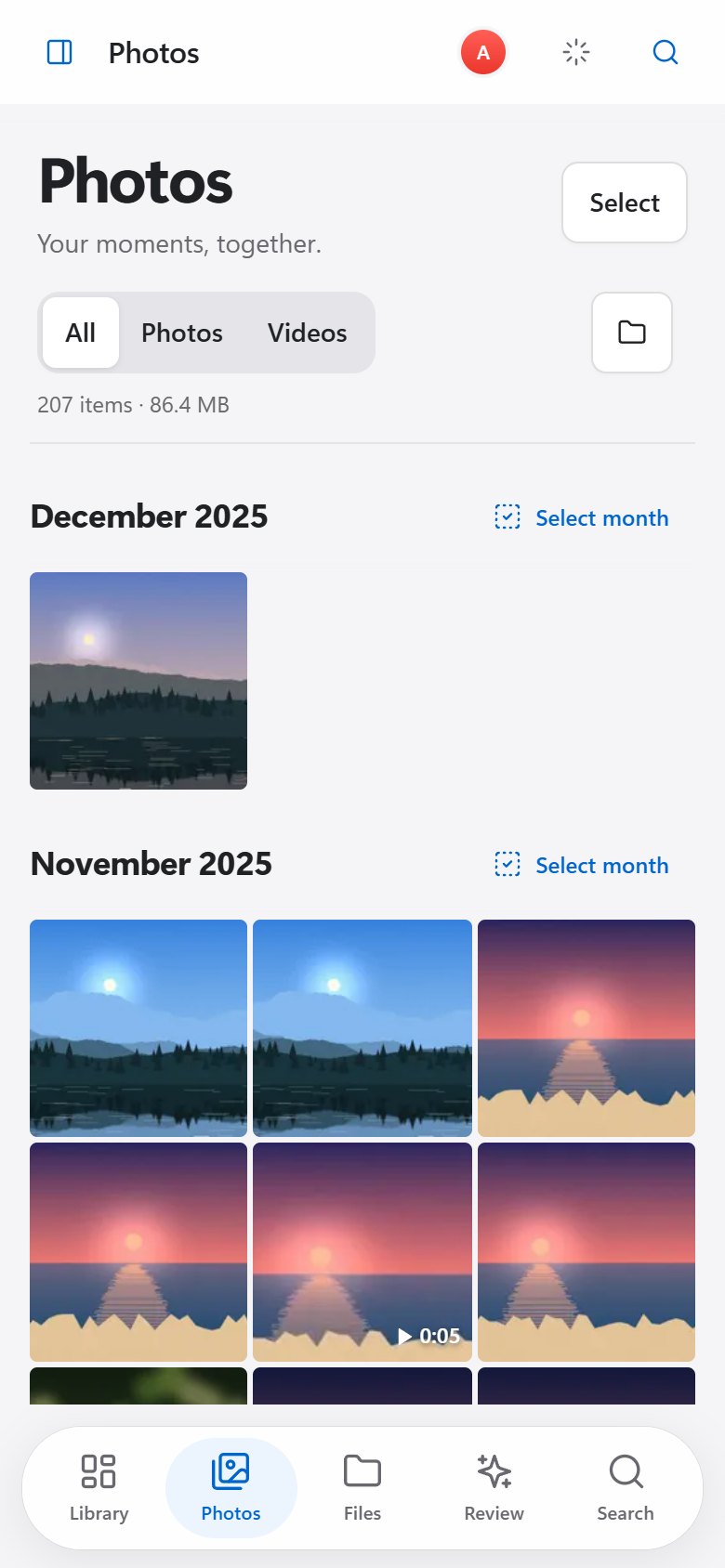
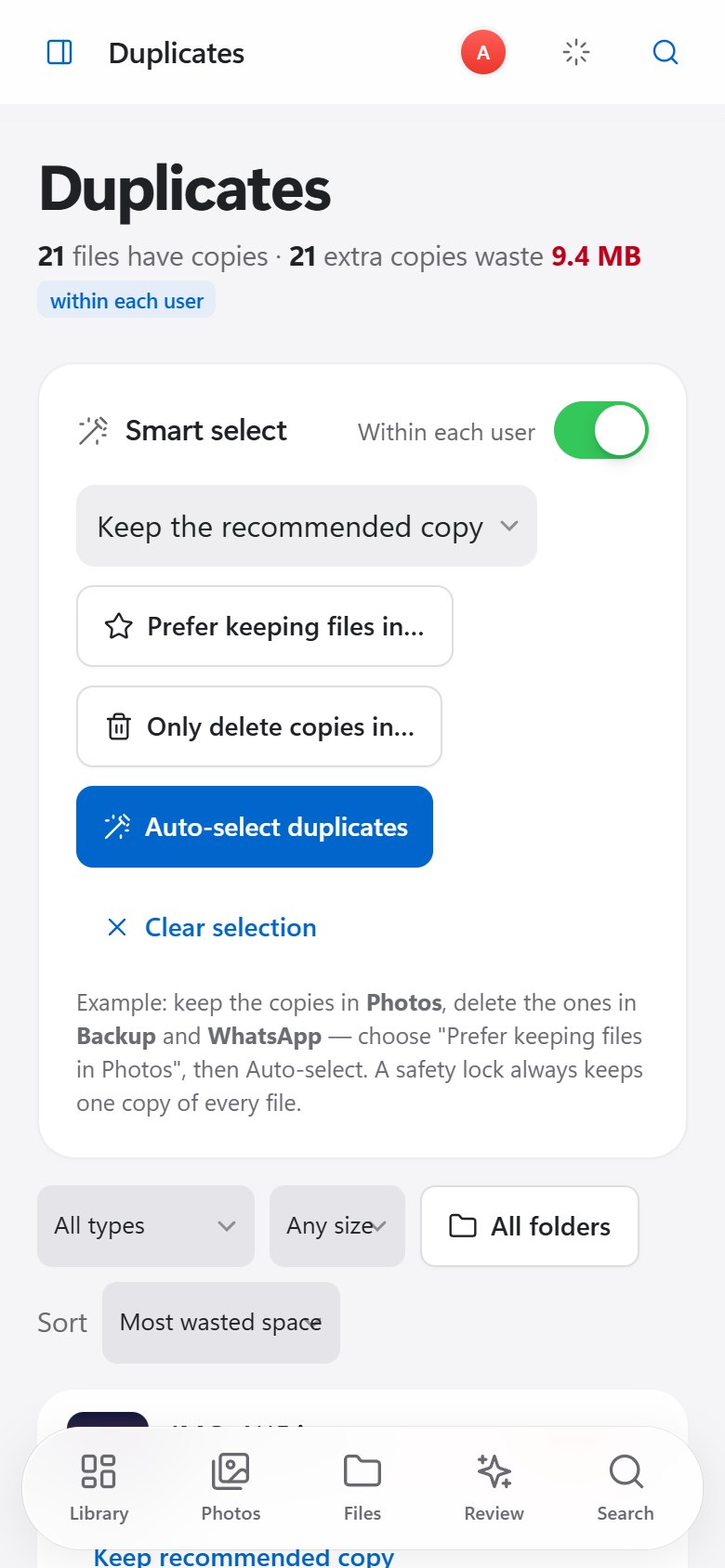
Install it as an app (PWA) on desktop or phone — with a light and dark theme and a phone layout with a tab bar.
Reclaim space
without the risk.
Find copies, look-alikes and clutter. Nothing is removed until you review it.
Exact duplicates
Matched by content hash, not filename. Keep the recommended copy or prefer a folder — a safety lock always keeps one copy.
Similar photos
Bursts, resized exports and re-saved copies grouped together. Keep the best shot, remove the rest.
Collections
Automatic categories: camera photos, WhatsApp and chat images, screenshots, documents and receipts, plus blurry, dark and low-quality shots.
Storage insights
Space by type and extension, size distribution, largest files and duplicate folders — with delete-by-extension.
Review learns from you. It gathers the best clean-up suggestions in one place — including system junk, unfinished downloads and empty files — and recommends more based on what you deleted before. Optional cleanup rules can run on a schedule.
A real file manager,
not just a gallery.
Videos, audio, PDFs and everything else on your NAS — browse, upload and organise it in the browser.
Dual-pane, keyboard-first
List and grid views, previews, multi-select, drag-and-drop moves and folder sizes. Stays fast past 100,000 entries.
Resumable uploads
Very large files resume where they stopped and are verified with checksums. Download any folder as a ZIP.
Recently deleted
Deletes are never immediate. Files go to a recycle bin you can restore from, kept 30 days by default.
Command palette
Ctrl K jumps anywhere. Bulk rename shows a preview before anything changes.
Read-only until you say so. Your library is mounted read-only on first run. Uploads, renames, moves and deletes only work after you switch it to read-write.
Private by design.
Locked down by default.
0 cloud accounts required
No analytics and no uploads: search, OCR and face grouping run on your own hardware. The one cloud option — celebrity lookup via Amazon Rekognition — is off by default and not in the standard image.
Two-step sign-in
Password plus optional authenticator (TOTP) codes, one-time recovery codes and sessions you can revoke. No default credentials.
HTTPS by default
A locally generated certificate, host allow-list, CSRF protection and a strict Content-Security-Policy.
Local network only
Remote access stays off until you switch it on — and then two-step verification is required.
Least privilege
The library is mounted read-only on first run, and the container drops all Linux capabilities.
Up and running
in three steps.
You need a Linux host with Docker and Docker Compose v2. A UGREEN or other NAS with Docker works well.
Get two files
Download compose.yaml and .env.example into an empty folder. Set NAS_HOST, LIBRARY_PATH and CONFIG_PATH in .env.
Start it
Run docker compose up -d. It pulls the tested image from GHCR and mounts your library read-only.
Sign in securely
Open https://YOUR_NAS_HOST:8843, create a password and turn on two-step verification. Then start a scan.
mkdir supergallery && cd supergallery
curl -fsSLO https://raw.githubusercontent.com/SaiKrishnaDaddala/SuperGallery/main/compose.yaml
curl -fsSL https://raw.githubusercontent.com/SaiKrishnaDaddala/SuperGallery/main/.env.example -o .env
# edit .env: NAS_HOST, LIBRARY_PATH and CONFIG_PATH
docker compose up -d
- Update any time:
docker compose pull && docker compose up -d - Image:
ghcr.io/saikrishnadaddala/supergallery:latest - x86-64 is tested; an arm64 image is published but less tested.
- On UGREEN, create a project in Docker → Project from compose.yaml and redeploy it to update.
Boring tech,
on purpose.
- Python
- FastAPI
- SQLite
- ONNX Runtime
- CLIP
- OpenCV YuNet / SFace
- RapidOCR
- PyAV / FFmpeg
- Pillow
- Plain JavaScript
- PWA
- Docker
- GitHub Actions
- GHCR
Incremental scans and background indexing you can pause or cancel. AI models unload after 10 idle minutes to free memory, nine feature switches let you run only what you need, and Settings can back up and restore app data.
Every build that passes the test suite is published to GHCR. Releases add SHA-256 checksums, and container images carry signed build provenance. The app never updates itself.
Frequently asked
questions.
- Found a bug?Report it on GitHub
- Have an idea?Request a feature
- Security issue?Report it privately
Take your photos
back home.
Smart search and cleanup on a box you own — nothing to rent and nothing to upload.
Have an idea? Request a feature